 vidiplay
Movies and series, without the heavy app.
vidiplay is a small Windows app with its own torrent engine and its own video player. There's no web browser inside it, so it uses about 45 MB of memory, and there's nothing to sign up for.
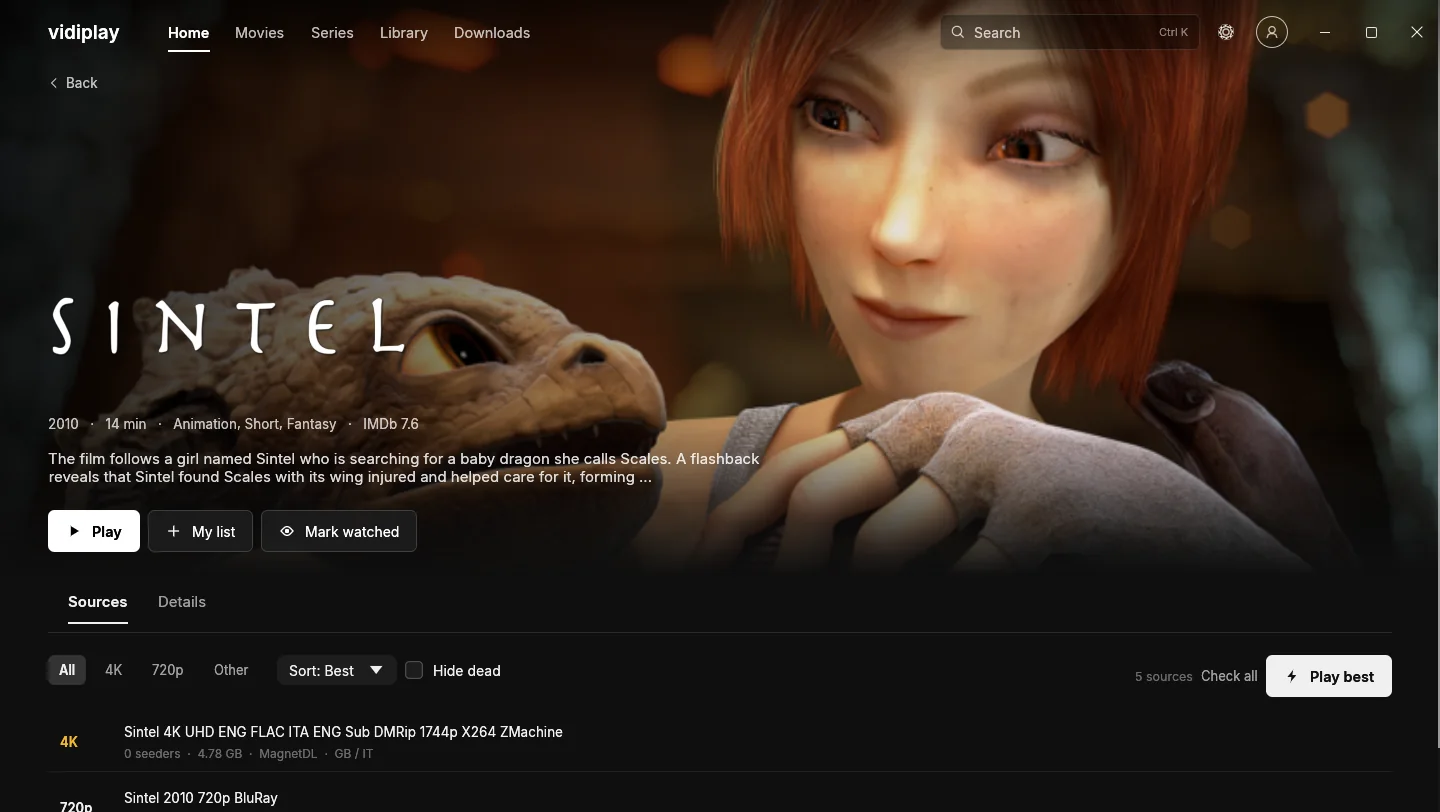
It opens straight to what's popular and what you were watching. Pick something and press play: vidiplay tests the sources behind it, starts the one that actually downloads fast enough, and remembers where you stopped. Torrentio is set up already, and any Stremio add-on works.
- Free, no account neededAn account is optional and only syncs between computers.
- Works with the keyboard aloneArrow keys, Enter and Esc reach everything.
- Offline downloadsSave a movie or episode and watch it with no connection.
Tears of Steel
Play best, testing the top sources
Playing 1080p WEB-DL: fast enough not to buffer.
It picks a source that works
A popular title can list a hundred torrents, and plenty of them are dead or crawling. When you press Play, vidiplay connects to the strongest few at once, measures how fast each one really downloads, and starts the best quality your connection can keep up with.
You can still choose yourself. Every source shows its live speed and peer count, and your offline copies and your own servers are listed first.
S01E03.mkv
Streaming: pieces after the playhead come first
Its own engine and player
Most streaming apps are a web page running in a bundled browser. vidiplay draws its own interface, downloads with its own torrent engine and decodes video on your GPU in its own player.
The engine fetches the pieces right after the playhead first, so playback starts in seconds and seeking moves the download with you. Magnet links and .torrent files open directly.

Captions how you like them
Captions come from the video itself, from inside the torrent, or from OpenSubtitles. Choose a font, colour, outline, shadow, box and position, and nudge the timing from the player if it's off.
That works for picture-based captions from Blu-ray rips too, which most players can't restyle. Your style follows your profile.
Your Plex, Jellyfin and Stremio library
If you already have a media server or a Stremio account, vidiplay uses them. Your own copies show up on the title page next to the torrents, and vidiplay plays yours first.
Plex
Sign in with a code. Your movies and shows appear on each title, watching marks them as played, and new additions show up on the home screen.
Jellyfin
Sign in with a password or Quick Connect, or let vidiplay find the server on your network.
Stremio
Your Stremio library and watch history come across on day one, and after that both stay in step.
Also in the app
- Profiles. Everyone at home gets their own progress, list and settings.
- Next episode. When an episode ends, the next one plays from the same release.
- Skip intro. A Skip button shows up during intros and recaps, found from the file's chapters or your Plex or Jellyfin markers. It can skip them on its own if you like.
- Cache that cleans up. Streamed videos are deleted after a week, or whenever you choose. Downloads stay.
- Updates. New versions download in the background and install with one click.
- Search anywhere. Ctrl K opens search from any screen.
- Themes. Dark, Midnight or Light, with a few accent colours.
Download
One installer for Windows 10 and 11 (64-bit), no admin rights needed. The portable zip runs from any folder if you'd rather not install anything.
Windows SmartScreen may warn about a new app. Click "More info", then "Run anyway".
- Version
- Latest
- Installer
- vidiplay-setup.exe
- Portable
- vidiplay-win64.zip
- SHA-256
Questions
Do I need an account?
No. Everything works without one, and your library stays on your PC. An account only keeps progress, your list, servers and settings in step between computers. You can make one here.
Where do the streams come from?
From the add-ons and servers you use. Torrentio is set up by default, and you can add any Stremio add-on or connect Plex or Jellyfin. vidiplay doesn't host anything itself, so use sources you're allowed to.
Does it work with my Stremio account?
Yes. Connect it in Settings. Your password goes straight to Stremio; vidiplay only keeps the session key on your PC.
What does vidiplay know about me?
Without an account, nothing: the app only talks to the add-ons and trackers it needs to load catalogs and stream. With an account, the server stores your email, library, progress and settings. Passwords are stored as Argon2 hashes, and each new device has to be approved by email. This site has no cookies or trackers.
Is it free?
Yes. There are no ads and no subscription.
Is there a Mac or Linux version?
Not yet. Windows 10 and 11 only for now.